
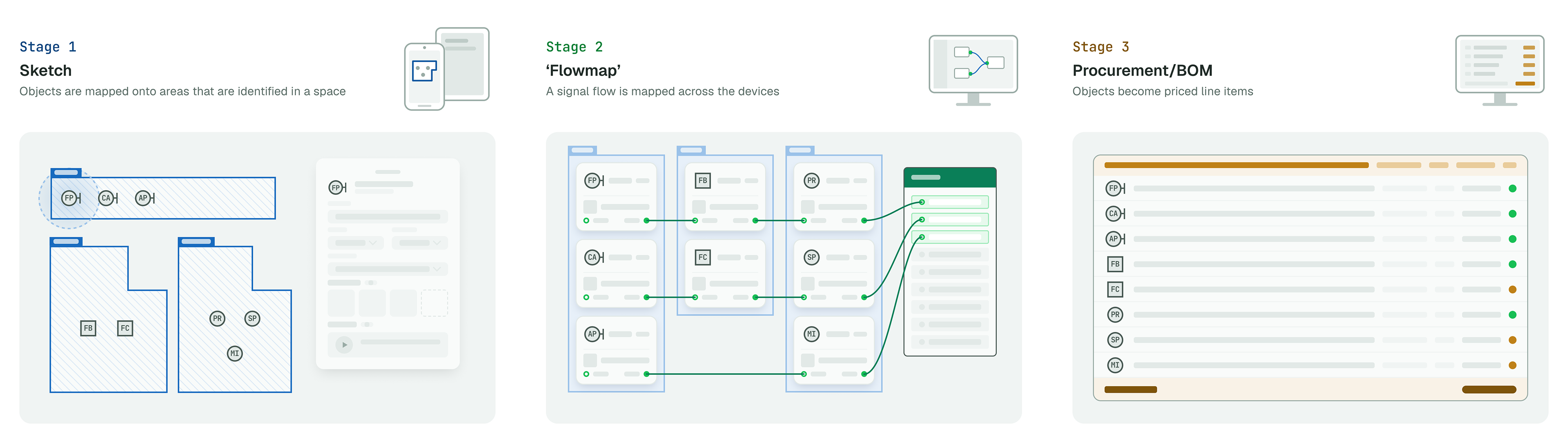
3 stages of the AV deployment process: Sketch, Flowmap & BOM
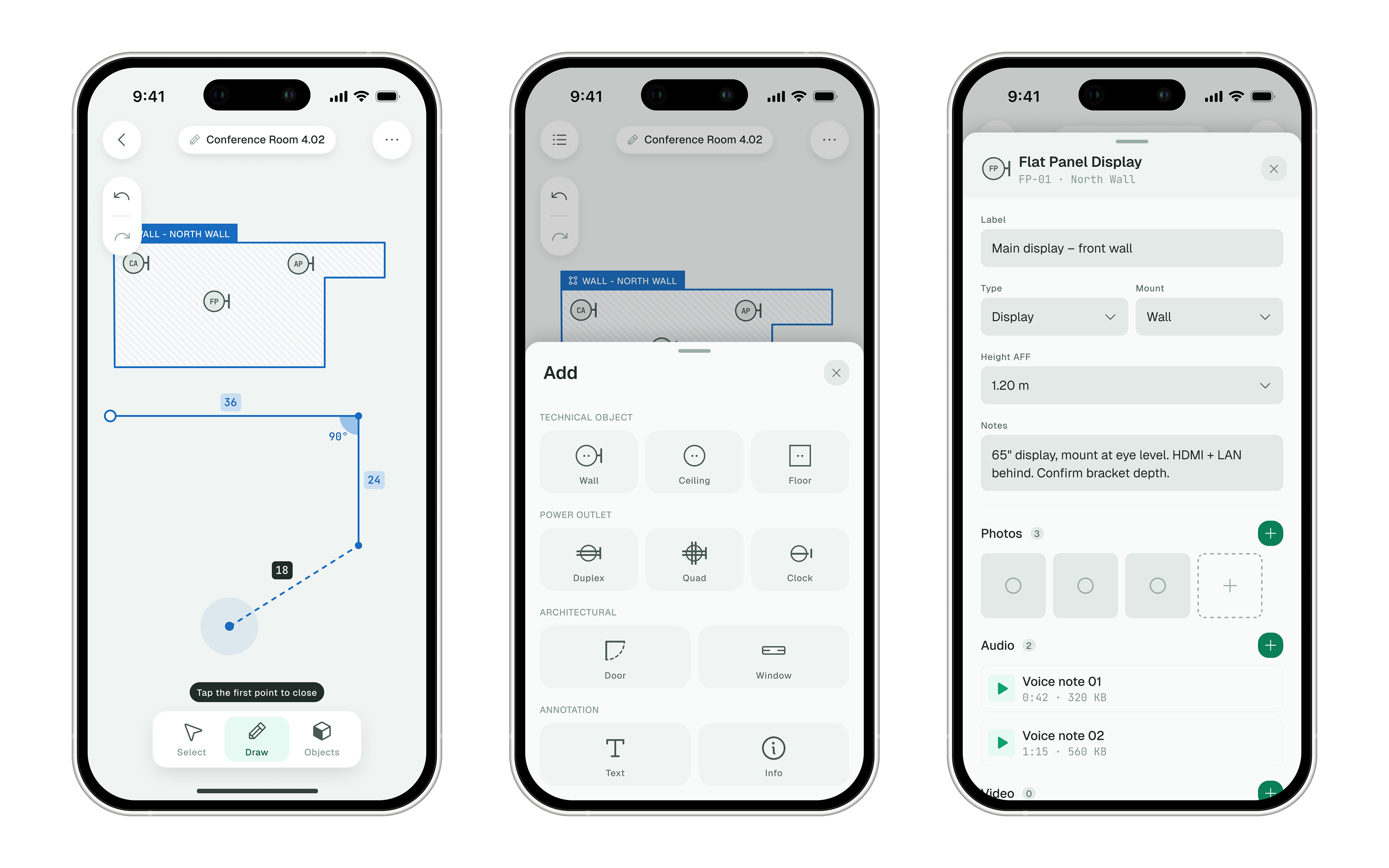
The mobile app allows users to draw basic shapes and polygons in sketches, and add technical objects with necessary detail such as type, name, photographs of the space, voice notes and notes.
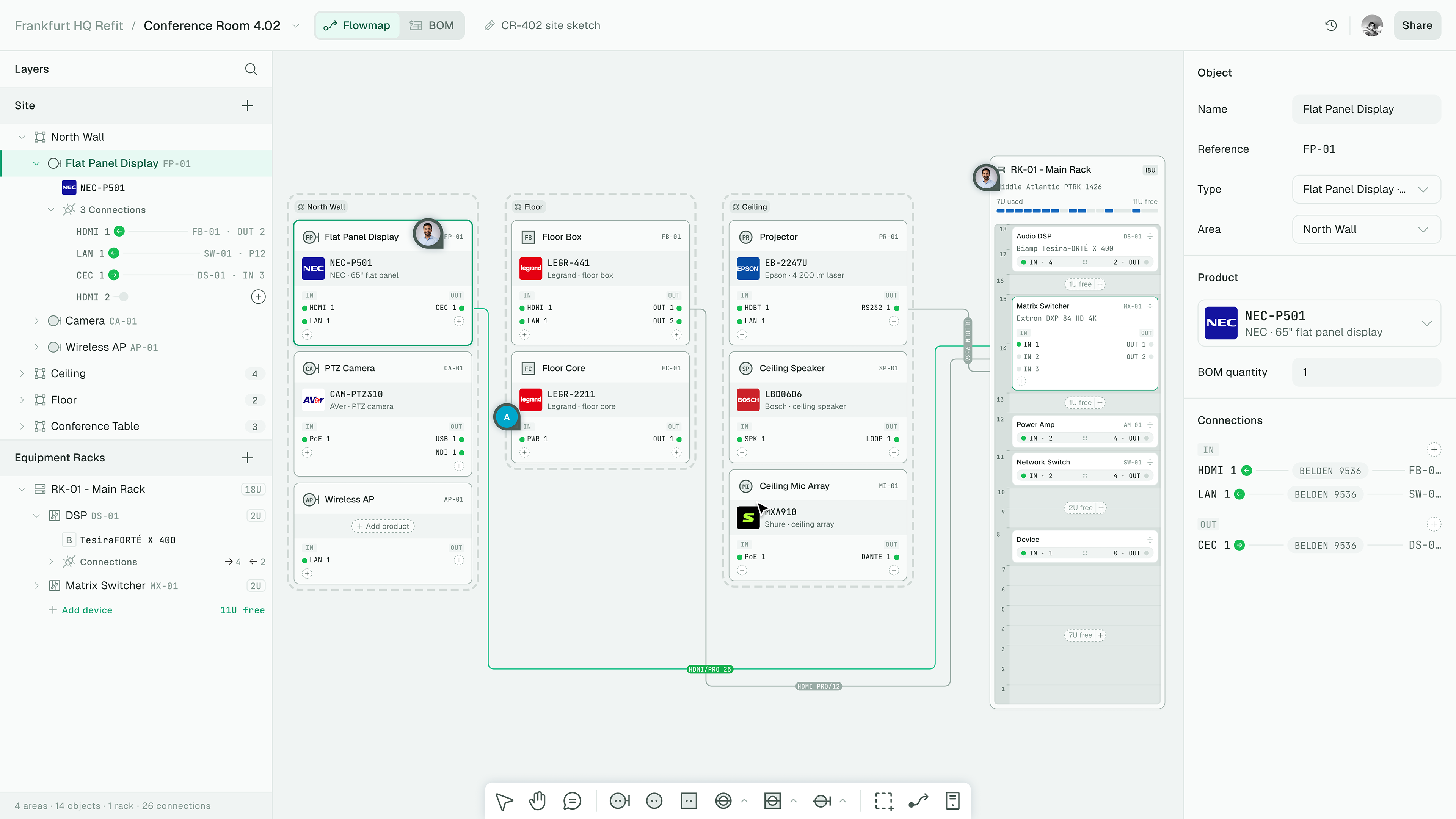
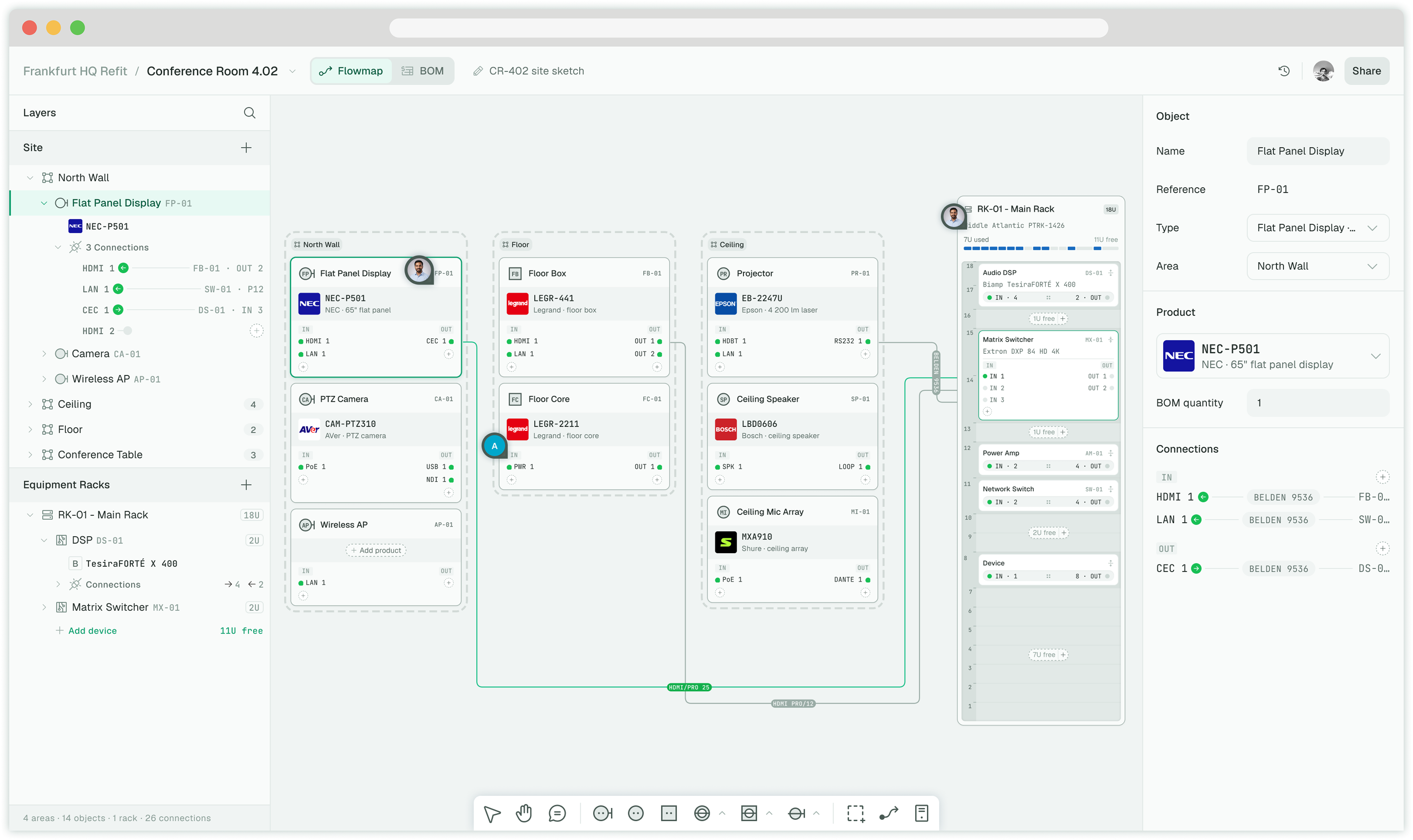
A flowmap of a Conference room showing objects connecting with an equipment rack with cables
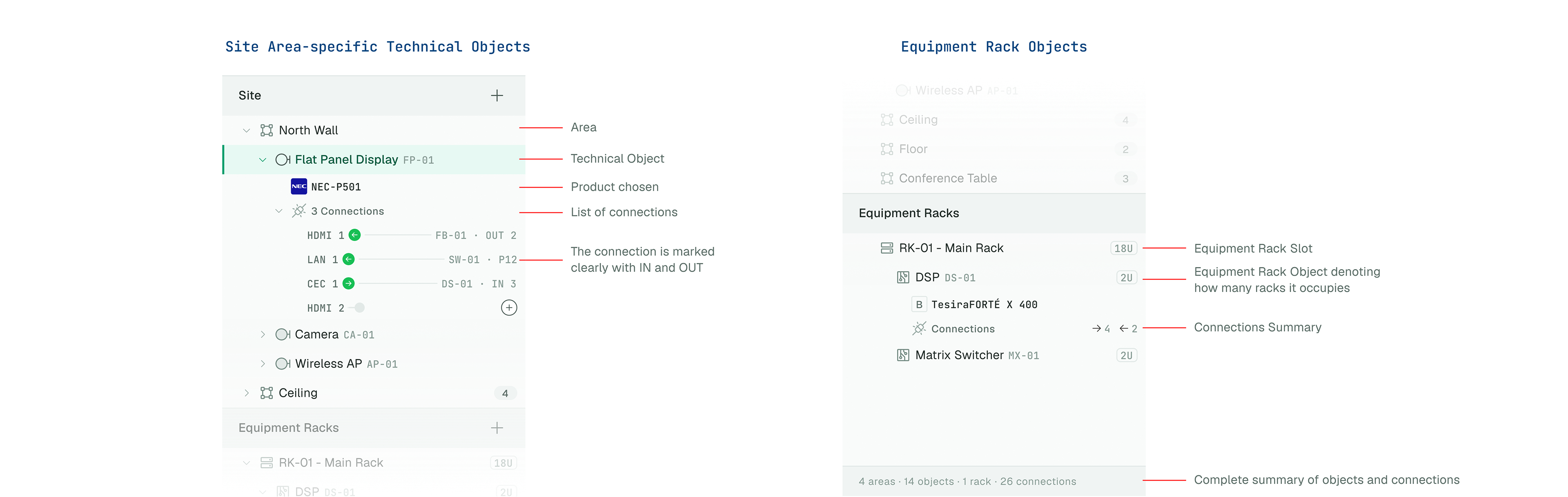
The layers panel spells out the architecture of the signal flow to the extent of the directionality of connections.
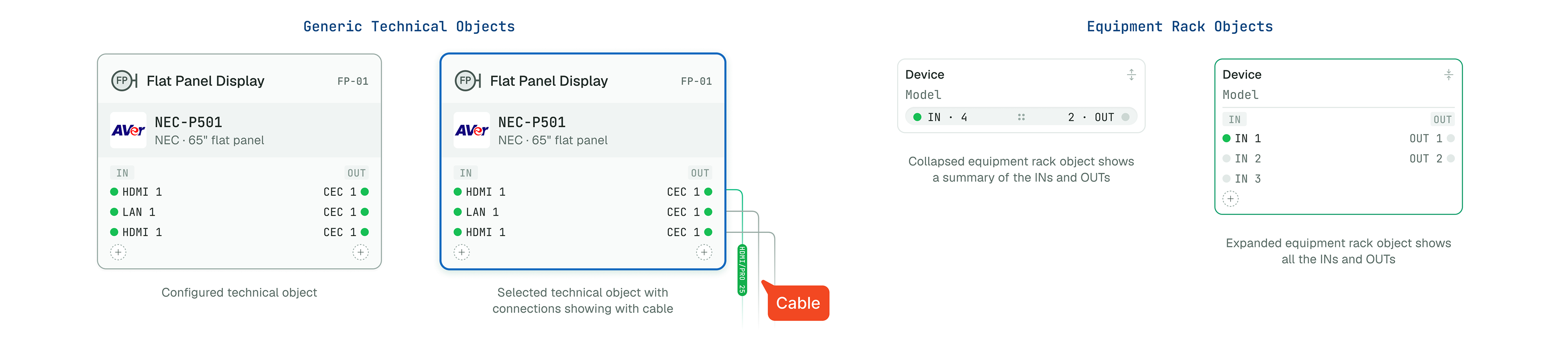
A technical object exists either in the Areas as general objects or in the equipment rack
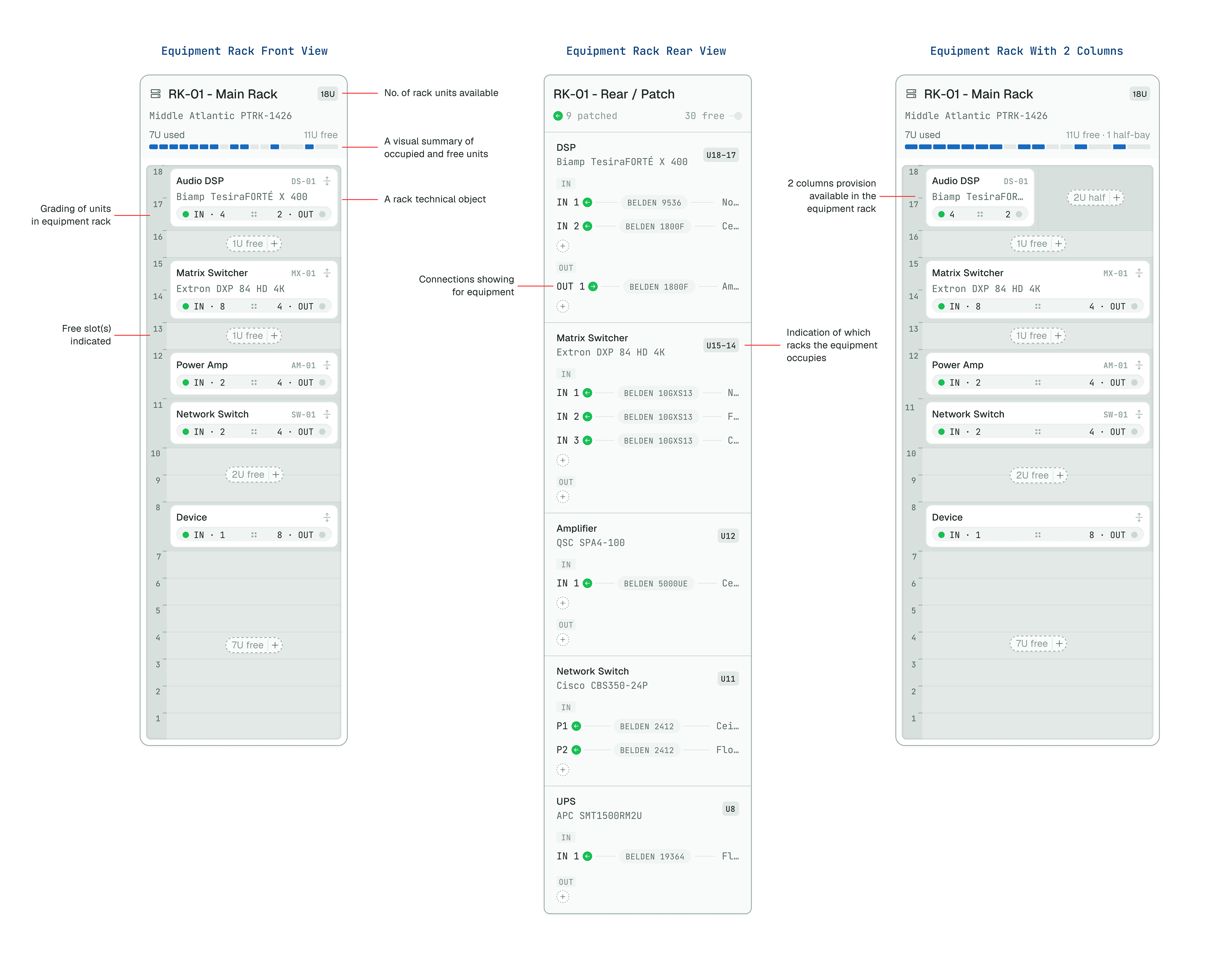
The equipment rack is a custom or standard piece of hardware containing slots for the equipment to be fitted in. On the Flowmap canvas, an equipment rack can be viewed in front or back modes to see less or more details about connection.
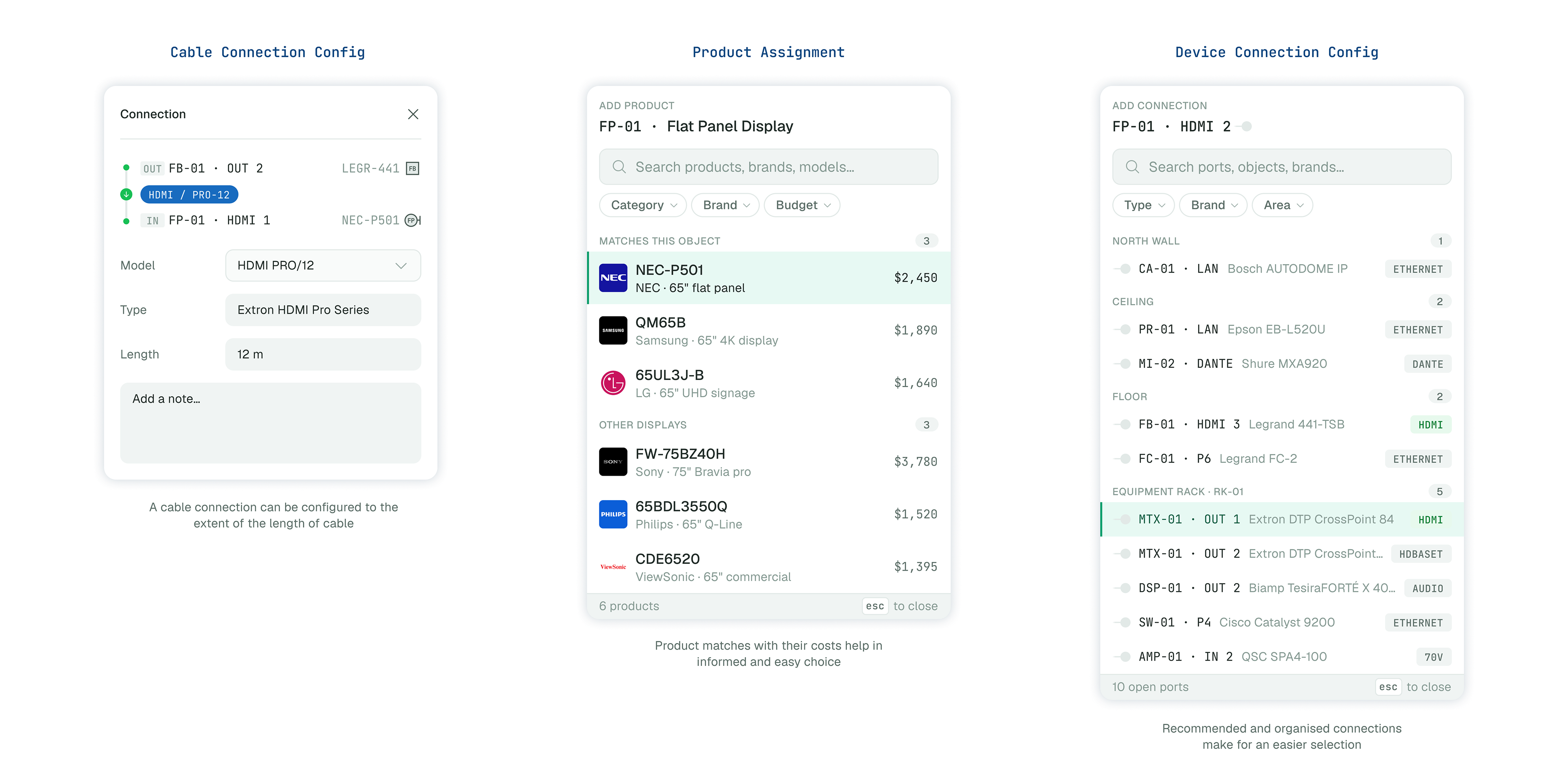
A set of dialog boxes which allow for a detailed and intelligent matching of technical objects and their connections
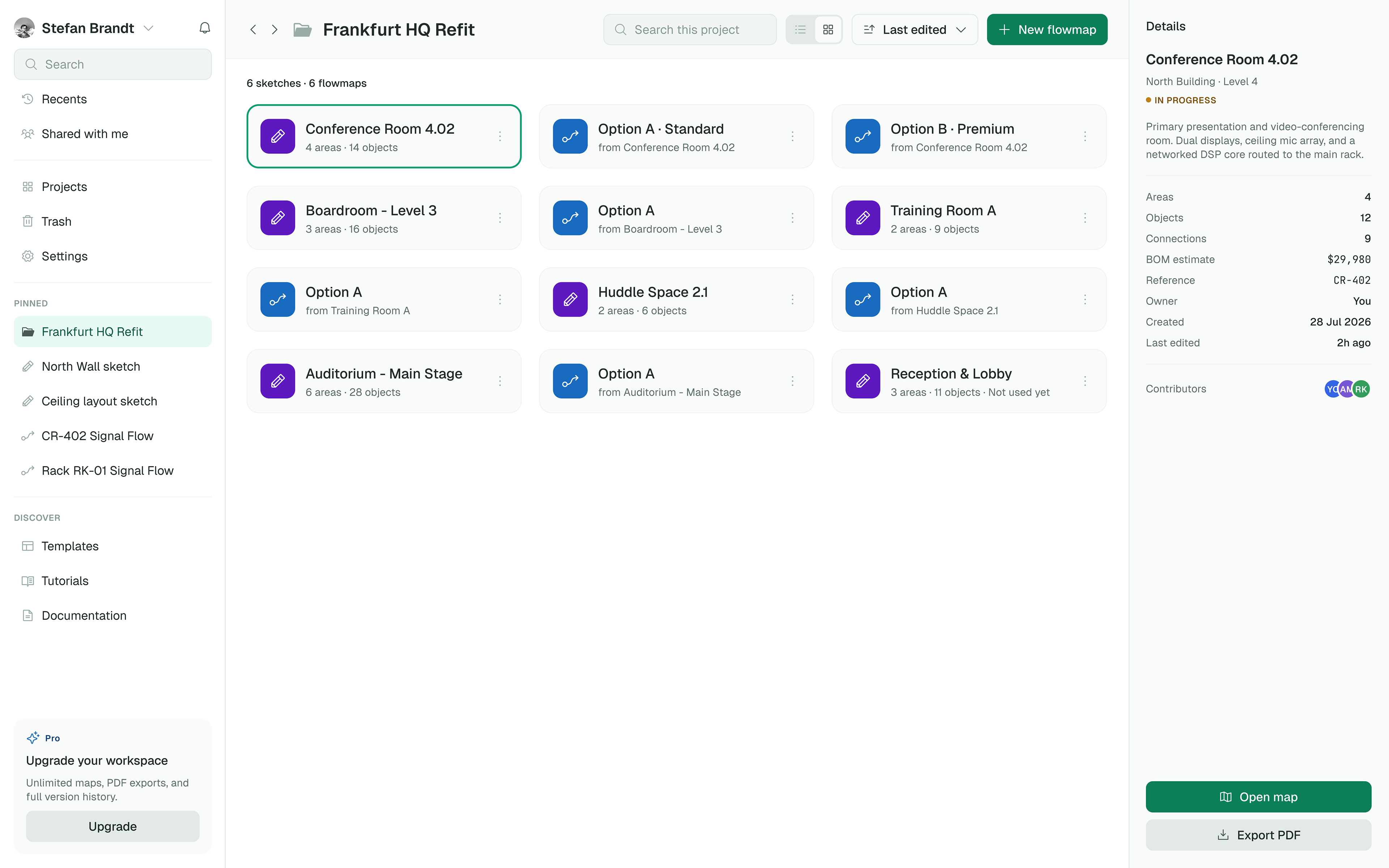
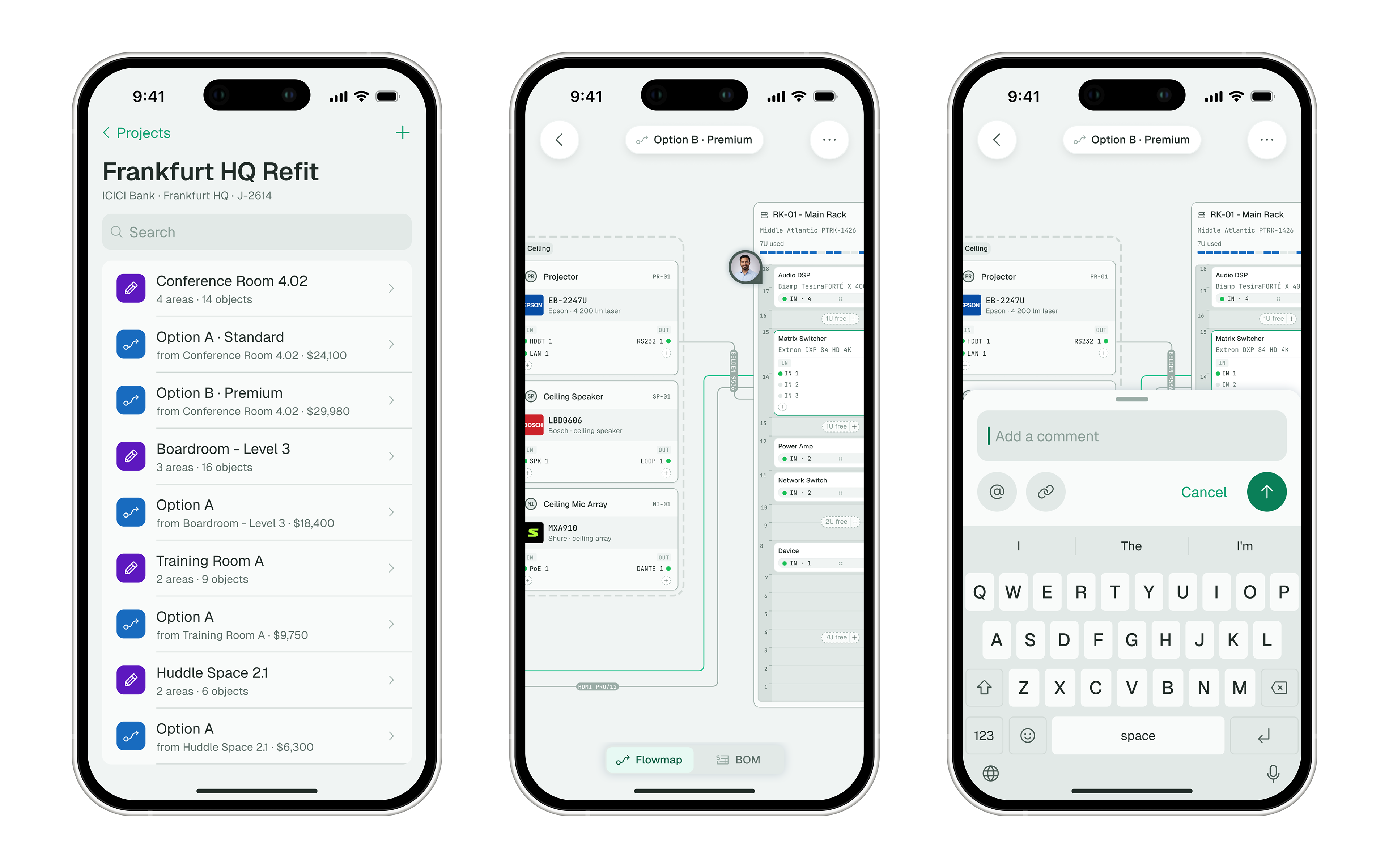
Projects are the highest level entity, and they can contain any number of sketches or flowmaps.
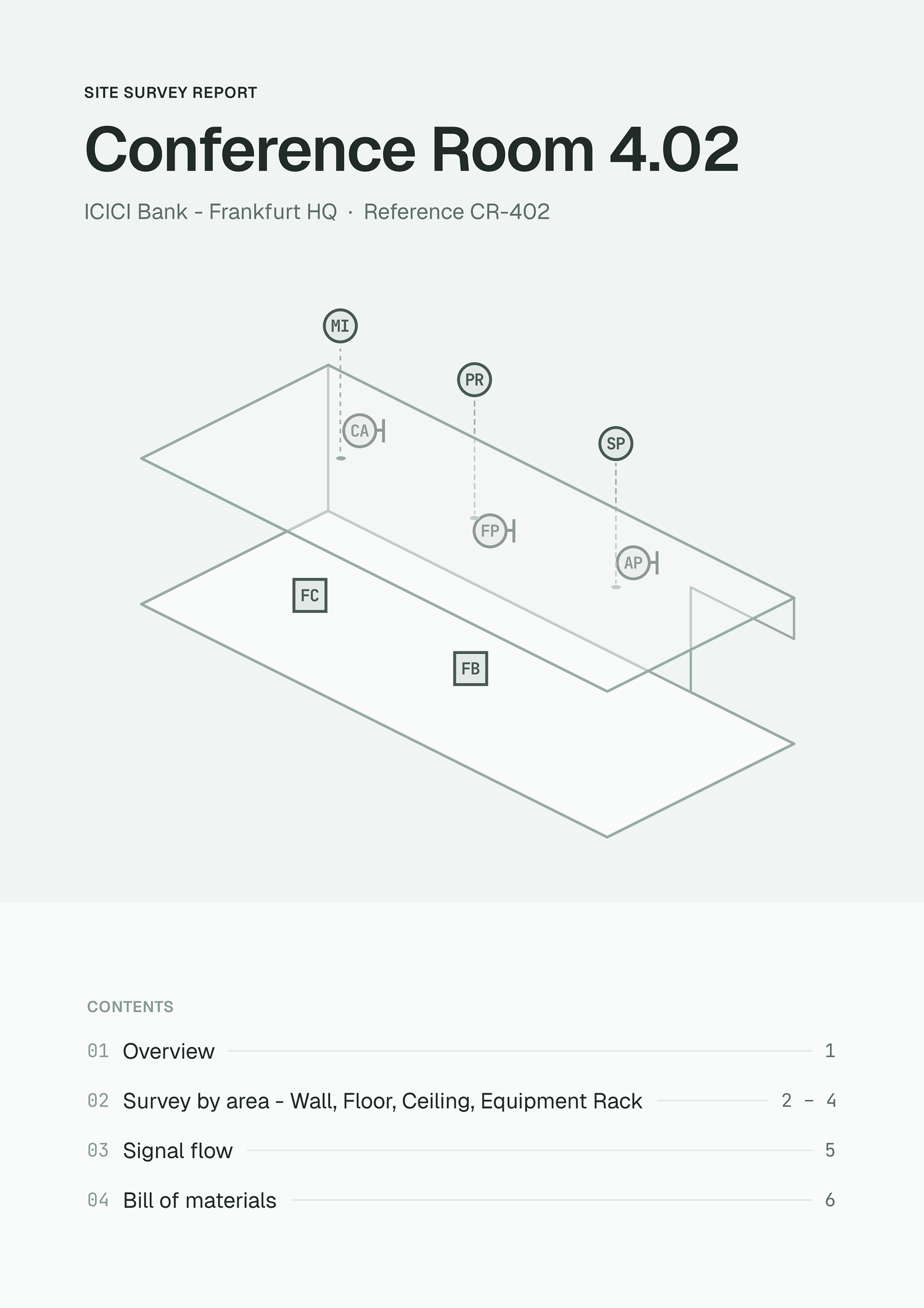
The cover page of the summary PDF presents the room in an isometric view with the technical objects and an index of what is contains
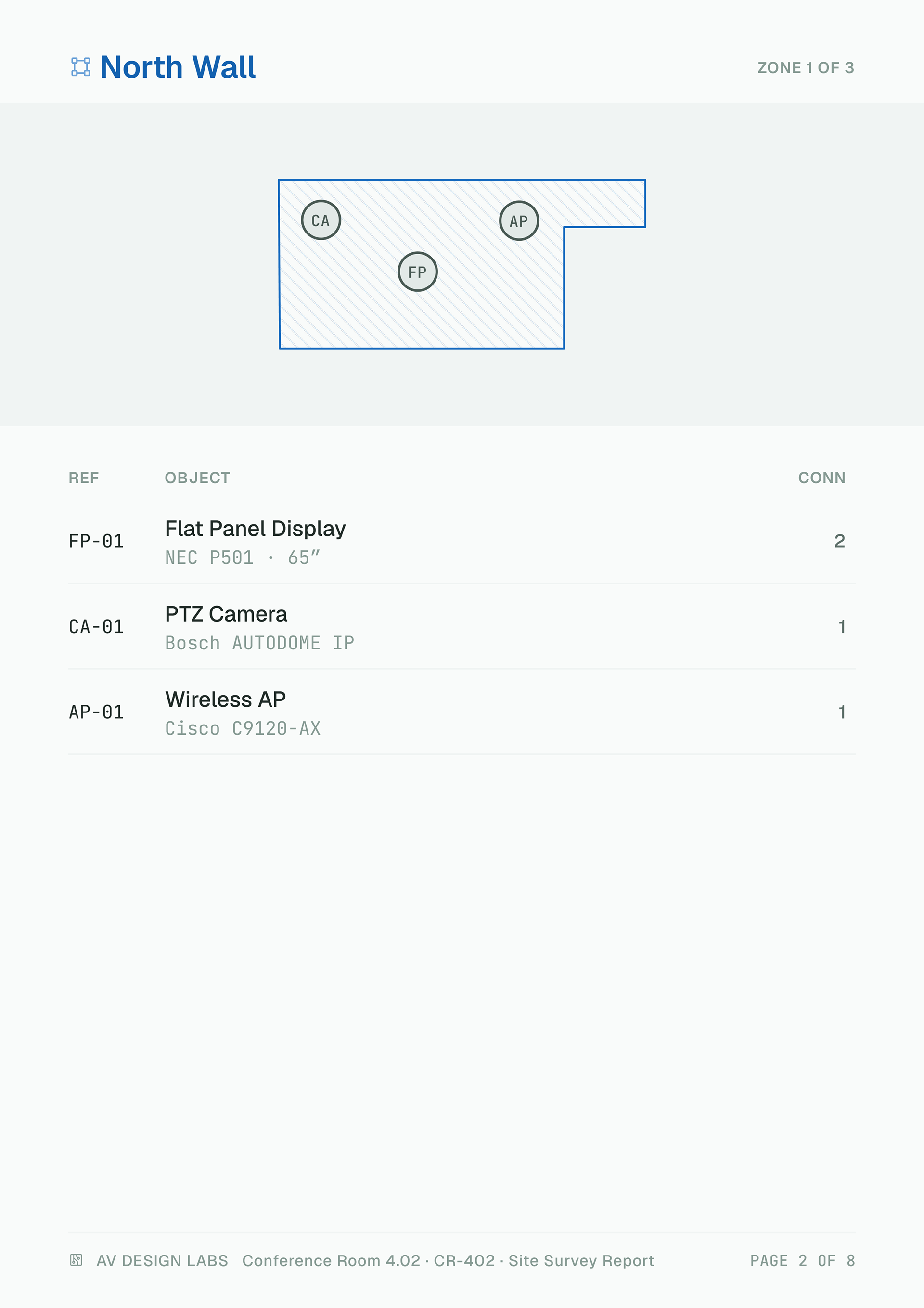
Areas and their technical objects are given at least one full page with clear indication of location and type of objects
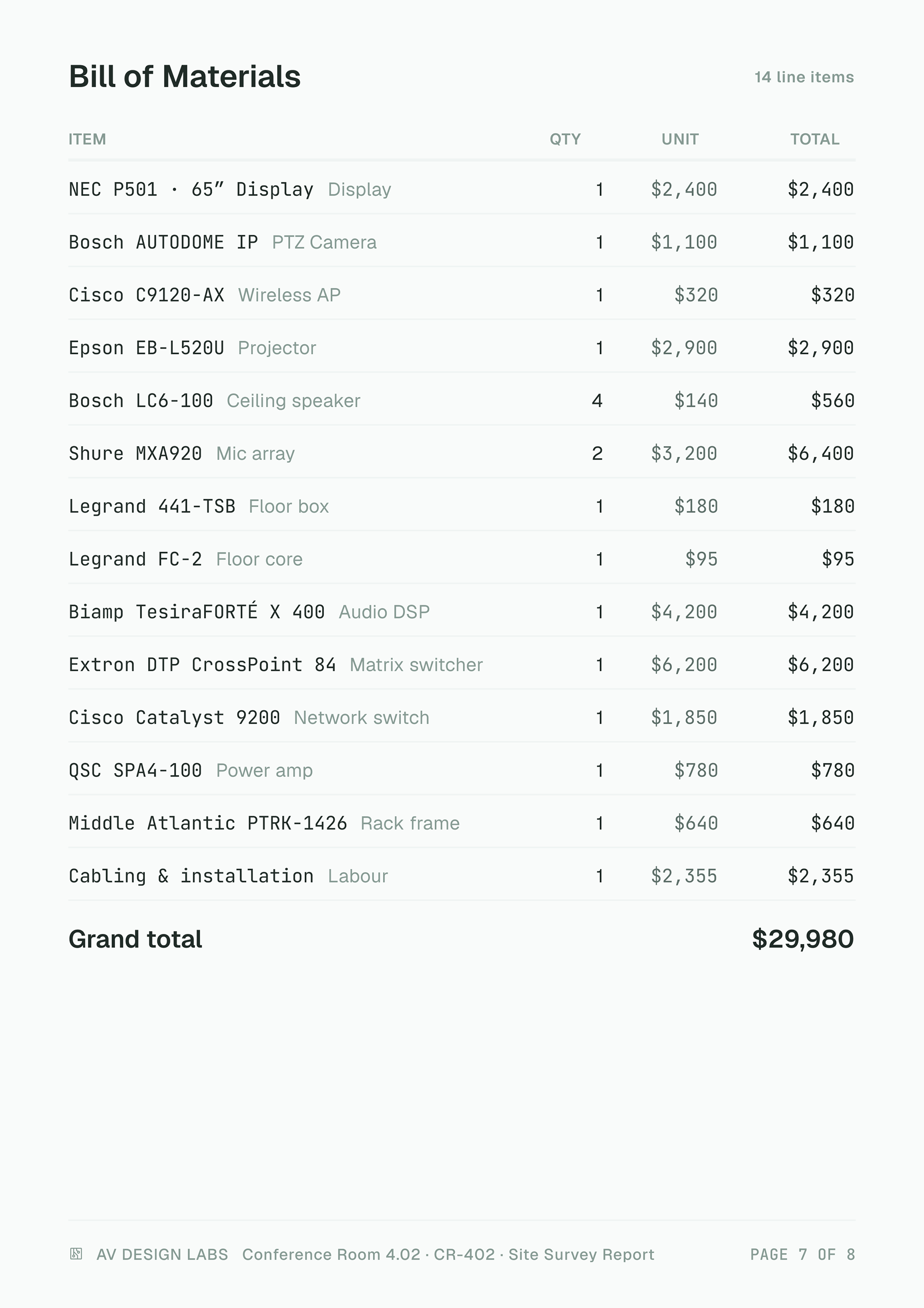
A Bill of Materials is auto-generated once the products and their quantity is specified at the BOM stage
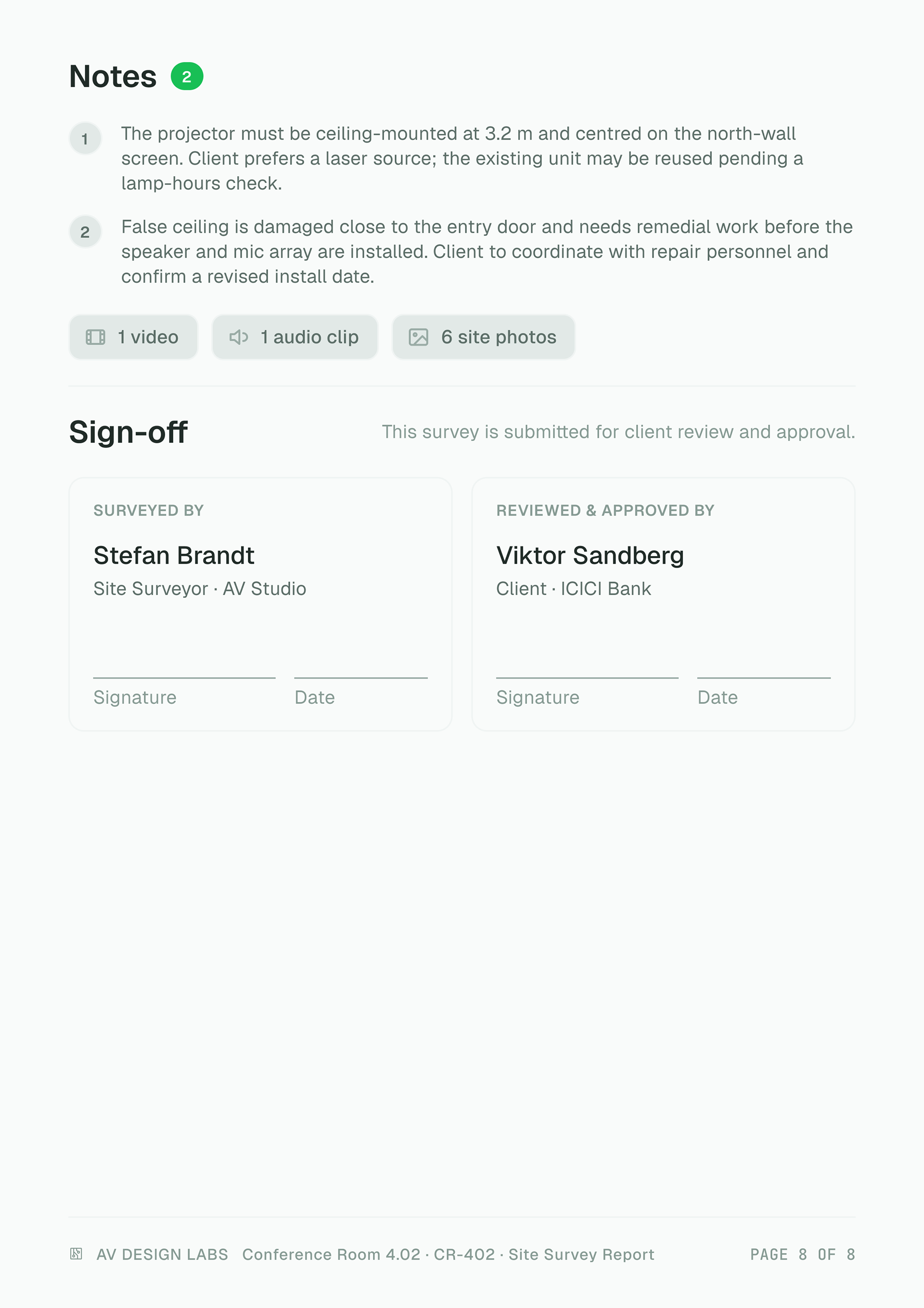
The print-ready PDF has a space for the parties to physically signoff on the particulars discussed